

GRE Prep Club Daily Prep
Thank you for using the timer - this advanced tool can estimate your performance and suggest more practice questions. We have subscribed you to Daily Prep Questions via email.
Customized
for You
Track
Your Progress
Practice
Pays
Not interested in getting valuable practice questions and articles delivered to your email? No problem, unsubscribe here.
 Nov 17
Live Online Classes with Top GRE Expert Rich Zwelling
08:00 PM EST
-10:00 PM EST
Get live instruction from a top-scoring, industry-recognized GRE teachers + 6 months of access to TTP Self-Study included! Tues/Thur Sept 7, 2026---Feb. 2, 2027, 1:00pm-3:00pm EST Dec 14
Live Online Classes with Top GRE Expert Michael Butville
08:00 PM EST
-10:00 PM EST
Get live instruction from a top-scoring, industry-recognized GRE teachers + 6 months of access to TTP Self-Study included! Mon/Wed Dec. 14, 2026---Feb. 22, 2027, 8:00pm-10:00pm EST

GRE Error Log v3.2 Free Tracker for Accuracy, Ability, Timing
[#permalink]
 24 Oct 2026, 11:10
24 Oct 2026, 11:10
Expert Reply
GRE Error Log v3.2 – Free Tracker for Accuracy, Ability, Timing & Spaced Review
Hi everyone,
Most of us keep some kind of error log, but a plain list of wrong answers rarely tells you what to study next. This log is built to answer that question. It's a free Excel workbook (it also opens in Google Sheets). It has been fully rebuilt for the current, shorter GRE and does most of the analysis for you.
What makes it different
What's inside
Getting started (5 minutes)
How to type answers
Spaces, commas and lower case are ignored, so "a, d" works too.
Quick FAQ
Do I really need to log the questions I got right?
Yes. Without them, the log can't calculate accuracy or Ability, and the "Fix first" list won't be reliable.
How do I rate difficulty?
Use the source's rating if it has one. For questions here on the forum, the timer stats under each question help: about 30% correct or less is hard, 75% or more is easy.
How should I time Reading Comprehension?
Split the passage reading time evenly across that passage's questions (2 minutes reading, 3 questions: add 40 seconds to each).
Why are some percentages in grey?
They are based on fewer than 5 questions. Treat them as a hint, not a result yet.
Can I change the target times or review intervals?
Yes, all of them are yellow cells on the Lists tab.
The workbook was built in Excel. If anything looks off in Google Sheets or another app, please post here with a screenshot and I'll fix it in the next version. Suggestions are very welcome too.
Good luck with your prep, and keep logging!
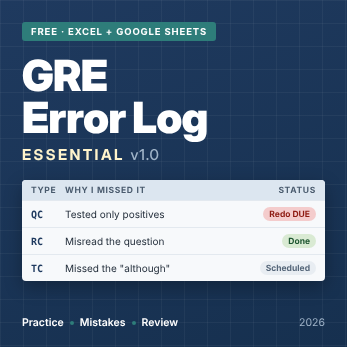
GRE_Error_Log_Essential_cover_347.png [ 84.5 KiB | Viewed 111 times ]

Hi everyone,
Most of us keep some kind of error log, but a plain list of wrong answers rarely tells you what to study next. This log is built to answer that question. It's a free Excel workbook (it also opens in Google Sheets). It has been fully rebuilt for the current, shorter GRE and does most of the analysis for you.
What makes it different
- It marks your answers for you. Type your answer and the correct one; the log works out Correct or Wrong. It handles every GRE format: single answers, multi-blank Text Completion, Sentence Equivalence pairs, Multiple Answer, Numeric Entry and Select-in-Passage.
- Accuracy AND Ability. Accuracy is your plain % correct. Ability weights each question by its difficulty (1.0–5.0), so getting hard questions right counts more. Comparing the two tells you a lot:
– Ability below Accuracy = you get the easy ones right and miss the hard ones. That's the gap to close.
– Ability above Accuracy = you're dropping easy points. Slow down and check. - Confidence tracking. For each question you mark how sure you were before checking: Sure, 50-50 or Guess. A lucky guess is not a strength, so right answers you weren't sure about are counted as "Shaky" and scheduled for review, just like wrong ones.
- Pacing based on the real test. Every format has a target time (TC, SE, RC, CR, QC, PS, MAC, NE, DI). For a typical mix of questions, the targets add up to the real section times: Verbal 27 questions in 41 minutes, Quant 27 in 47 minutes. Each question is flagged Slow or Rushed? (wrong in under half the target time).
- Built-in spaced review. Every wrong or unsure question gets a Retry 1 date (7 days) and a Retry 2 date (21 days). The Status column shows Retry DUE, Keep reviewing or Mastered. Test date close? Shorten the intervals in one cell.
- A "Fix first" list. The Dashboard ranks your 5 weakest Verbal skills and 5 weakest Quant topics, so you always know where your next hour should go.
- Mistake types that point to a fix. Content gap, misread question, calculation slip, trap answer, unknown vocabulary, out-of-scope inference, too slow, rushed, guess. A chart shows where your points actually go.
- Mock test tracking. Section scores, total, AWA, and whether you were routed to the harder or easier second section (the GRE now adapts section by section).
- Hard to break. Dropdowns reject typos. A Data health panel on the Dashboard flags pasted values that aren't on the lists, missing difficulty ratings and leftover sample rows.
What's inside
| Tab | What it does |
| Start Here | Short instructions, how to type answers, key terms |
| Dashboard | Days to test, accuracy (all time and last 7 days), Ability %, pace, reviews due, data health, weakest areas, mistake chart, mock trend |
| Verbal Log / Quant Log | One row per question you attempt (room for 1,000 each) |
| Verbal Stats / Quant Stats | Results by format, section/area, skill/topic and mistake type, with charts |
| Mocks | Full practice tests and score trend |
| Study Time | Daily hours against your weekly target |
| Lists | Dropdown items, target times and review intervals (all editable) |
Getting started (5 minutes)
- Enter your test date on the Dashboard (the yellow cell).
- Delete the SAMPLE rows (pale yellow) on Verbal Log, Quant Log and Mocks: select the whole rows and delete them. On Study Time, just clear the sample hours.
- Log every question you attempt, right or wrong. Logging only mistakes makes accuracy meaningless.
- For each wrong or unsure answer, pick a Mistake Type and write one line in Lesson: what you will do differently next time.
- Once a week, open the Dashboard, work on the "Fix first" lists and do your due retries.
How to type answers
| Question type | Type it like this |
| Single answer (PS, QC, RC, CR, 1-blank TC) | B |
| Two or more answers (SE, MAC, RC Select All) | Letters in A-to-Z order: AD |
| TC with 2 or 3 blanks | One letter per blank, in order: AE or BDH |
| Numeric Entry | Exactly as the key shows it: 12.5 or 3/4 |
| Select in Passage | S + sentence number: S3 |
Spaces, commas and lower case are ignored, so "a, d" works too.
Quick FAQ
Do I really need to log the questions I got right?
Yes. Without them, the log can't calculate accuracy or Ability, and the "Fix first" list won't be reliable.
How do I rate difficulty?
Use the source's rating if it has one. For questions here on the forum, the timer stats under each question help: about 30% correct or less is hard, 75% or more is easy.
How should I time Reading Comprehension?
Split the passage reading time evenly across that passage's questions (2 minutes reading, 3 questions: add 40 seconds to each).
Why are some percentages in grey?
They are based on fewer than 5 questions. Treat them as a hint, not a result yet.
Can I change the target times or review intervals?
Yes, all of them are yellow cells on the Lists tab.
The workbook was built in Excel. If anything looks off in Google Sheets or another app, please post here with a screenshot and I'll fix it in the next version. Suggestions are very welcome too.
Good luck with your prep, and keep logging!
Show: ::
Attachment:
GRE_Error_Log_Essential_cover_347.png [ 84.5 KiB | Viewed 111 times ]

gmatclubot
GRE Error Log v3.2 Free Tracker for Accuracy, Ability, Timing [#permalink]
24 Oct 2026, 11:10
Moderators:
|
|
||